Tablets
Microsoft Surface Pro 12-inch 2nd Edition
Microsoft's most portable Surface Pro is a 686 g, 12-inch Windows 2-in-1 with a Snapdragon X2 Plus chip, a 90Hz display and up to 15.5 hours of claimed video playback; keyboard and pen are extra.
Key figures at a glance
Gallery
Specifications
- Display
- 12-inch PixelSense LCD touchscreen, 2196 x 1464 (220 PPI), 3:2, up to 90Hz dynamic refresh rate, 500 nits typical SDR
- Chipset
- Qualcomm Snapdragon X2 Plus (6-core), Hexagon NPU with 80 TOPS, Adreno GPU
- RAM
- 24GB
- Storage
- 256GB / 512GB (UFS)
- Rear Camera
- 10MP main rear camera (Ultra HD)
- Front Camera
- 1080p Full HD Surface Studio Camera with Windows Hello face authentication
- Battery
- 38 Wh, up to 15.5 hours of local video playback and up to 13 hours of active web browsing (Microsoft claims)
- OS
- Windows 11 Home (Copilot+ PC features on configurations with 16GB or more RAM)
- Dimensions
- 274 x 190 x 7.8 mm, 686 g without keyboard
- Ports
- 2 x USB-C (USB 3.2) with DisplayPort 1.4a, fast charging with a 60W or higher charger
- Connectivity
- Wi-Fi 7, Bluetooth 5.4, optional 5G configuration
- Audio
- 2W stereo speakers with Dolby Atmos, dual Studio Mics
- Accessories
- Surface Pro 12-inch Keyboard and Surface Slim Pen sold separately; pen storage with wireless charging on the back
- Colors
- Black, Platinum, Violet
The Microsoft Surface Pro 12-inch 2nd Edition is the smaller of the two current Surface Pro models and, in Microsoft's own words, its most portable one. It is a Windows 2-in-1 tablet with a 12-inch 3:2 touchscreen, a Qualcomm Snapdragon X2 Plus processor, a built-in kickstand and a weight of 686 g without a keyboard. It appears on Microsoft's Surface Pro page alongside the larger 13-inch model, with the 12-inch version listed at $1,149.99 and the 13-inch at $1,499.99. This page is a review based on the published specifications and manufacturer information. It explains where the tablet fits, what the hardware offers, how to read the battery claims and who should consider it over an iPad or an Android tablet.
Where it sits in the lineup
Microsoft sells two Surface Pro sizes at once. The 13-inch (12th Edition) is the performance model, with a larger 2880 x 1920 display that can be OLED or LCD, a 120Hz refresh rate, Snapdragon X2 Plus 10-core or X2 Elite 12-core chips and a removable SSD. The 12-inch 2nd Edition is the lighter, cheaper sibling with a 6-core Snapdragon X2 Plus, a 2196 x 1464 LCD and storage on a soldered UFS chip. Microsoft's guidance is blunt: pick the 12-inch if you want something lighter and more portable, and the 13-inch if you need more screen space and performance. The company also calls out two details that are specific to the small model: a brighter display than its predecessor and a pre-installed Microsoft Ink Canvas app for AI-assisted drawing.
The closest rivals are Apple's iPad Air M3 and iPad Pro M5, which are tablets first, and large Android slates such as the Galaxy Tab S12 Ultra, which is bigger and thinner but runs a mobile operating system. The page Microsoft Surface Pro 12-inch 2nd Edition vs iPad Air M3 lines up their specifications, and the rankings show how it scores on display, battery and price.
Design and display
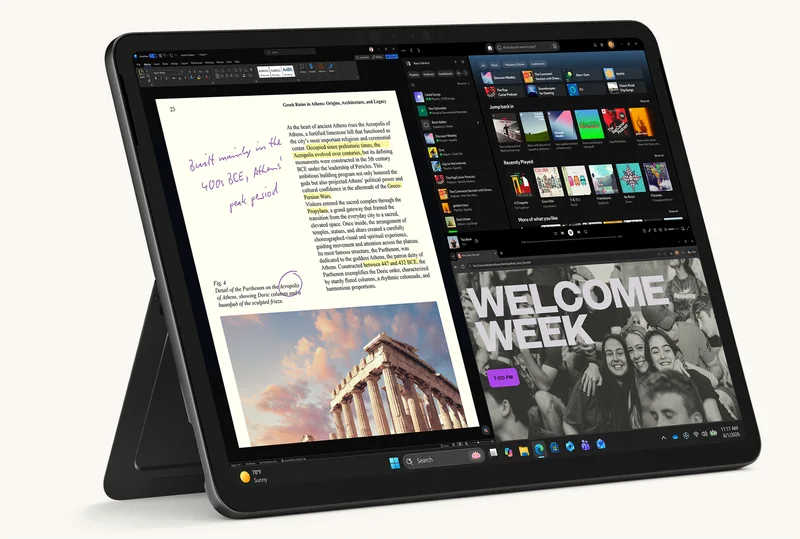
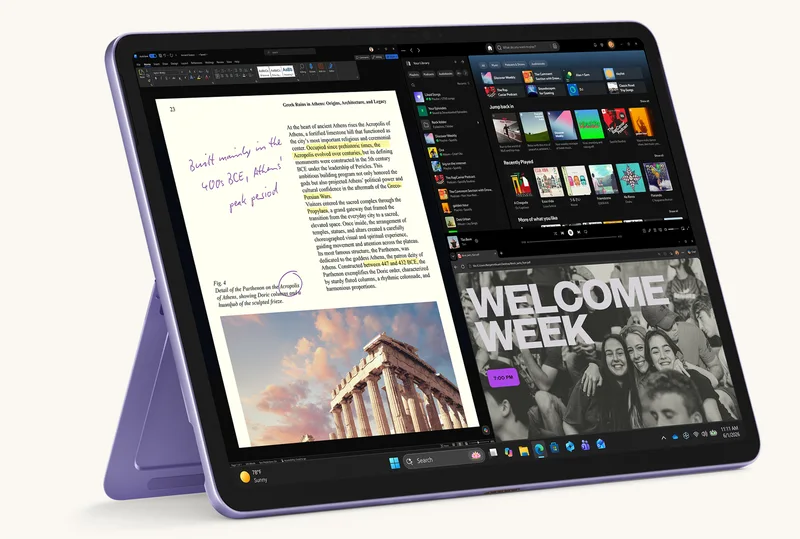
The Surface Pro keeps its familiar shape: an anodized aluminium body measuring 274 x 190 x 7.8 mm, a kickstand with a 165-degree friction hinge and a magnetic back that holds the Surface Slim Pen and charges it wirelessly. Microsoft says the enclosure uses recycled aluminium, and the page shows the tablet in black, platinum and violet. Because the keyboard is a separate purchase, the weight you carry is higher than the 686 g figure; the keyboard also acts as a cover for the screen. Surface Pro keyboards are sold in several finishes, including Italian-made Alcantara, according to Microsoft.
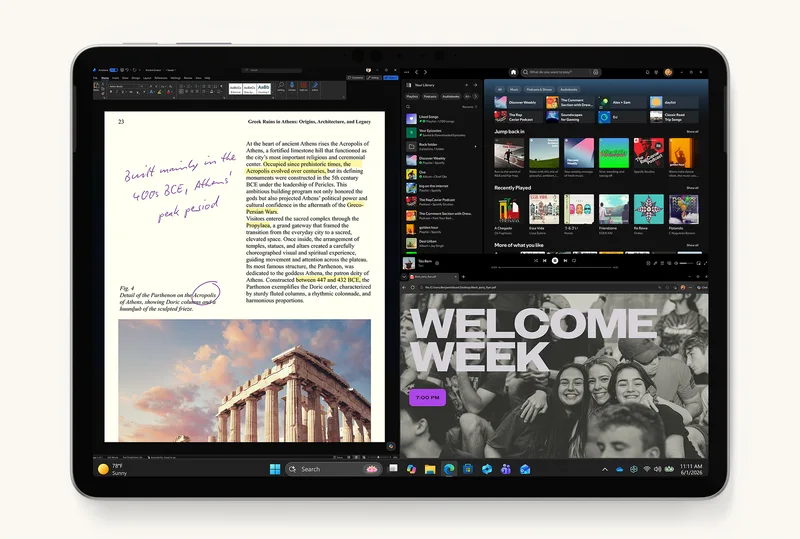
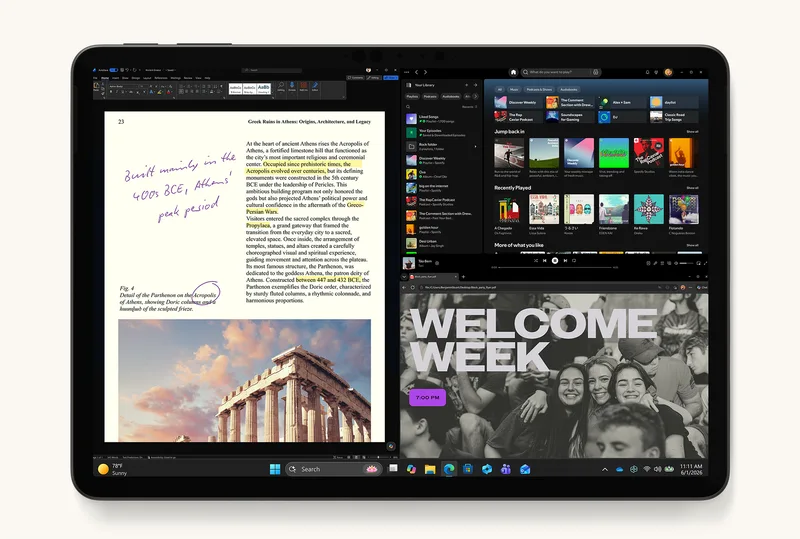
The screen is a 12-inch PixelSense LCD with a resolution of 2196 x 1464, about 220 pixels per inch, in the 3:2 ratio that suits documents and drawing. It supports dynamic refresh up to 90Hz (60Hz default), lists a 1400:1 contrast ratio and up to 500 nits of typical SDR brightness, and has 10-point touch and individually calibrated colour. There is no OLED option on this size; that is reserved for the 13-inch model. At 220 PPI the image is sharp enough for text and drawing, but it is clearly a step down from the 13-inch panel and from the OLED screens now common on premium tablets, so people who care about contrast or HDR should look elsewhere. Audio comes from 2W stereo speakers with Dolby Atmos, and two Studio Microphones handle calls.
Performance and software
The Snapdragon X2 Plus is a 6-core Arm processor with an Adreno GPU and a Hexagon NPU rated at 80 TOPS. The NPU is the AI acceleration that Microsoft requires for its Copilot+ PC features. Memory options are 8GB, 16GB and 24GB of LPDDR5x, and storage is 256GB or 512GB. Microsoft notes that the Copilot+ features apply only to configurations with 16GB of RAM or more, so the 8GB model will not get them. Because the chip is Arm-based, most everyday apps and Microsoft 365 run natively or through emulation, but older software, some games and certain drivers may behave differently from a conventional Intel or AMD laptop. Check the apps you depend on before buying.
The tablet ships with Windows 11 Home and a 30-day Microsoft 365 Family trial. It is also a Windows 11 Secured-core PC with Windows Hello face sign-in. Connectivity is Wi-Fi 7 and Bluetooth 5.4, and Microsoft's battery footnotes refer to Wi-Fi and Wi-Fi plus 5G models. Two USB-C ports with USB 3.2 speeds support charging, data and DisplayPort 1.4a output for up to two 4K monitors at 60Hz, and fast charging needs a charger of at least 60W. The 13-inch model has USB4 and a Surface Connect port, so the 12-inch is also the more limited of the two on expansion.
Cameras and pen
The front camera is a 1080p Surface Studio Camera with Windows Studio Effects such as automatic framing, portrait blur and eye contact, and it doubles as the Windows Hello sensor. The rear camera is 10MP, which is adequate for scanning documents and whiteboards. Microsoft's claim that the 13-inch model has the number two laptop camera on a DXOMARK ranking does not apply to the 12-inch model, which uses different hardware. The Surface Slim Pen (2nd edition) is sold separately, supports haptic feedback and 4,096 pressure levels, and attaches magnetically to the back for storage and charging. Combined with Ink Canvas and the 3:2 screen, it makes a decent notebook replacement, though the display is not as colourful as an OLED.
Battery and charging
Microsoft lists a 38 Wh battery for the 12-inch model and claims up to 15.5 hours of local video playback and up to 13 hours of active web browsing, against 15.5 and 11.5 hours for the 13-inch. These numbers come from Microsoft's own tests in August 2026 on pre-production devices with a Snapdragon X2 Plus, 16GB of RAM and 256GB of storage, with the screen brightness set to a fixed value. Real-world results will be lower with a bright screen, heavy multitasking or video calls. Even so, a full workday away from a socket looks plausible on paper. A charger is not necessarily included in every market, so check the box contents before relying on one.
Who it is for
The 12-inch Surface Pro suits students, travellers and office workers who want a real Windows PC that doubles as a tablet and weighs less than most laptops. It works well for note-taking with a pen, for sitting on a train table with the kickstand out and for typing in tight spaces. People deep in the Microsoft 365 world get the most from it. It is less convincing as a gaming or heavy-creative machine, and anyone who mainly wants a tablet for reading, video and casual apps will be better served by an iPad or an Android slate at a lower total price.
Compromises
The main compromise is cost: $1,149.99 is for the tablet alone, and the keyboard and pen are extra. We also noticed an older "from $849.99" figure on a Microsoft shopping widget, so confirm the exact configuration price in your market. The LCD panel, 90Hz refresh rate and soldered storage are all a step behind the 13-inch model, and Arm compatibility still requires a check of your software. If you want a bigger, brighter screen and more ports, the 13-inch Surface Pro is the model to look at; if you want the lightest Windows tablet with a pen, this is it.
Where it ranks
Compare Microsoft Surface Pro 12-inch 2nd Edition with similar devices
More from Microsoft
Frequently asked questions
When was the Microsoft Surface Pro 12-inch 2nd Edition released?
The Microsoft Surface Pro 12-inch 2nd Edition was released on 2026-10-13, according to the manufacturer’s published information.
How much does the Microsoft Surface Pro 12-inch 2nd Edition cost?
The estimated range for the Microsoft Surface Pro 12-inch 2nd Edition is $1035 to $1265 in US dollars, based on the launch list price. Actual prices vary by country, retailer and storage option.
What are the main specs of the Microsoft Surface Pro 12-inch 2nd Edition?
Headline figures for the Microsoft Surface Pro 12-inch 2nd Edition: Refresh rate: 90 Hz, Main camera: 10 MP, RAM: 24 GB. The full specification table is further up this page.
Is the Microsoft Surface Pro 12-inch 2nd Edition worth buying?
That depends on your priorities. Use the editorial review on this page for our view, check the rankings above to see where the device stands on battery, display and camera, and compare it directly with similar models before you decide.