Smartwatch Buying Guide: Apple Watch vs Galaxy Watch vs Pixel Watch
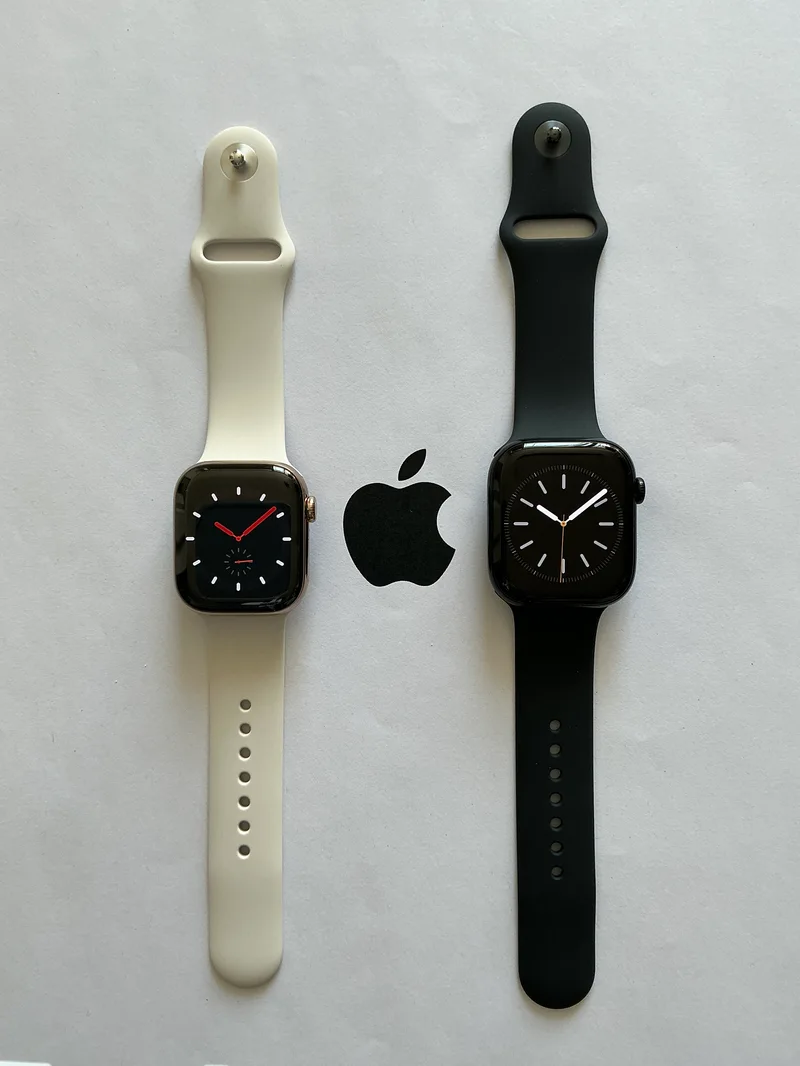
Smartwatch shopping is, more than almost any other device category, dictated by which phone you already own. All three major platforms — Apple’s watchOS, Samsung’s Wear OS variant, and Google’s stock Wear OS — lock their best watches to a specific phone ecosystem, so the real decision tree starts with your phone, not the watch.
If you have an iPhone
There is genuinely no alternative worth seriously considering: the Apple Watch Series 10 is the only smartwatch that integrates deeply with iOS, and no Wear OS watch pairs with iPhones at meaningful feature parity. The Series 10’s larger, flatter display and new FDA-approved sleep apnea detection make it the strongest Apple Watch generation in years.
If you have a Samsung Galaxy phone
The Galaxy Watch6 unlocks its full sensor suite — including blood pressure monitoring — only when paired with a Samsung phone, making it the natural pick for Samsung phone owners specifically. The bioimpedance body composition sensor and comprehensive sleep tracking are genuine differentiators within the Wear OS ecosystem.
If you have a Pixel or any other Android phone
The Pixel Watch 2 offers full feature parity regardless of which Android phone you pair it with, unlike the Galaxy Watch6’s Samsung-specific feature gating. Its Fitbit-derived health tracking, including the Daily Readiness and Stress Management scores, is arguably the most approachable health-data presentation of the three platforms.
The universal caveat: battery life
All three watches compared here land in a similar 24-40 hour real-world battery range with always-on display enabled, well short of the multi-day endurance offered by simpler fitness-focused wearables from Garmin or Amazfit. If all-day-every-day battery life matters more to you than smartwatch features like app notifications and voice assistants, it is worth looking outside this comparison entirely.
Health tracking depth compared
All three watches now offer ECG and blood-oxygen sensing, but the depth beyond those baseline features varies: the Galaxy Watch6 adds body composition (bioimpedance) measurement and, region-permitting, blood pressure tracking; the Pixel Watch 2 leans on Fitbit’s Daily Readiness and Stress Management scores for more actionable day-to-day guidance rather than raw sensor breadth; and the Apple Watch Series 10’s standout addition is FDA-approved sleep apnea detection, a genuinely medical-grade feature none of the Wear OS competitors currently match.
Pricing across the three
The Galaxy Watch6 is the least expensive of the three at $299 for the base Bluetooth model, the Pixel Watch 2 sits in the middle at $350, and the Apple Watch Series 10 is the most expensive starting point at $399 for the 42mm aluminum case, with all three offering pricier cellular-connected variants for an additional cost.
Third-party app and accessory ecosystems
watchOS has the deepest third-party app library of the three platforms by a wide margin, a natural consequence of the Apple Watch’s longer market history and larger install base. Wear OS, shared between the Galaxy Watch6 and Pixel Watch 2, has improved substantially since Samsung and Google unified their smartwatch platforms, though it still trails watchOS in total app count and update frequency from major fitness and productivity app developers.
Battery life reality check
None of these three smartwatches are built primarily for endurance — all three land in a similar 18-40 hour range depending on feature usage, and all three require some form of daily or near-daily charging discipline. Buyers coming from a traditional watch or a basic fitness tracker with week-long battery life should adjust their expectations accordingly: these are genuinely capable smartwatches first, and battery-efficient fitness trackers a distant second, a tradeoff inherent to the always-on-display, app-running, cellular-capable category rather than a flaw specific to any one of the three.
Choosing a case size
All three platforms offer at least two case sizes to accommodate different wrist sizes, and getting this choice right matters more for long-term comfort than most buyers initially assume — a case that is too large can feel cumbersome for all-day and overnight wear (relevant specifically for sleep tracking), while too small a case can make the display cramped for reading notifications at a glance. Trying watches on in person, where possible, remains the most reliable way to get this right before committing to a purchase.
Total cost of ownership
Beyond the sticker price, buyers should factor in optional cellular connectivity plans (an additional monthly carrier fee on all three platforms), any subscription costs like Fitbit Premium on the Pixel Watch 2, and band replacement costs over the watch’s lifespan, since bands wear out faster than the watch itself with daily use, especially silicone sport bands used during workouts.
What if I don’t need a smartwatch at all?
It is worth stating plainly: if notifications, apps, and voice assistants on your wrist do not genuinely appeal to you, a simpler fitness band or traditional watch with basic activity tracking will serve you better and last far longer on a single charge than any of the three smartwatches compared here. These full-featured smartwatches earn their price and daily-charging tradeoff specifically for buyers who want phone-adjacent functionality on their wrist, not for buyers who just want step counting and sleep duration.
Final consideration: switching platforms later
Whichever watch you buy, be aware that switching phone platforms later (iPhone to Android or vice versa) generally means the watch itself becomes obsolete alongside the switch, since none of these three integrate meaningfully with the opposing phone OS — factor that lock-in into a purchase you plan to keep for several years. If you are genuinely undecided on phone platform too, it may be worth settling that decision first and choosing the watch second, rather than the reverse, since the phone is the much larger and more expensive commitment of the two.
Bottom line
Start with your phone, not the watch: Apple Watch Series 10 for iPhone owners since no alternative pairs with iOS at meaningful feature parity, Galaxy Watch6 for Samsung phone owners who want the deepest health sensor suite, and Pixel Watch 2 for everyone else on Android who wants full feature parity regardless of phone brand.