Wear OS vs watchOS: Which Smartwatch Ecosystem Should You Choose?
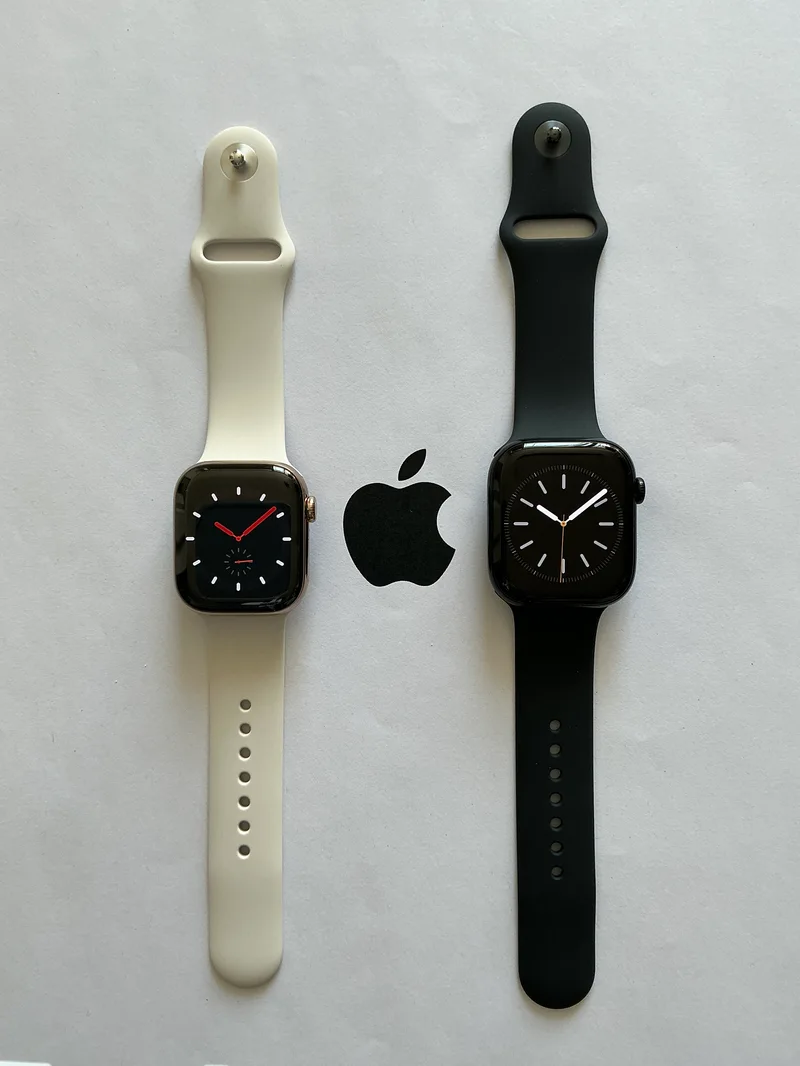
Choosing a smartwatch today is really choosing an ecosystem, not just a piece of hardware. Google's Wear OS now powers watches from Samsung, Google itself, Fossil, and others, while Apple's watchOS remains exclusive to the Apple Watch line. This Wear OS vs watchOS comparison looks at the two platforms through three real products we've tested in depth — the Galaxy Watch6, the Pixel Watch 2, and the Apple Watch Series 10 — to help you figure out which ecosystem actually fits your phone and your habits.
The hard requirement: phone compatibility
This is the decision that makes every other comparison moot for most buyers. The Apple Watch Series 10 only pairs with an iPhone — there is no Android support at all, full stop. Wear OS watches like the Galaxy Watch6 and Pixel Watch 2 pair with Android phones, and while Samsung's watch technically works with an iPhone in a limited capacity, you lose the vast majority of useful features doing so. If you carry an iPhone, watchOS is effectively your only option among serious smartwatches. If you carry an Android phone, you're choosing among Wear OS watches, and from there the real comparison begins.
Hardware and design differences
The Watch Series 10 ships in 42mm and 46mm case sizes with an OLED Retina display that Apple says offers roughly 30% more visible screen area than the Series 9 thanks to thinner bezels, all built around the S10 chip. The Galaxy Watch6 sticks to a more traditional round 40mm case with a 1.31-inch AMOLED display and a physical rotating bezel option on some variants, giving it a more classic watch-like feel that some buyers strongly prefer over Apple's rounded-square design. The Pixel Watch 2 goes fully circular with a domed 41mm case and a 450x450 AMOLED panel, arguably the most watch-like of the three in pure silhouette, though its smaller screen area limits how much information fits on-screen at once compared to the Apple Watch.
Health and fitness tracking
All three platforms have converged on a similar sensor suite: heart rate, blood oxygen (SpO2), and ECG are standard across the Galaxy Watch6, Pixel Watch 2, and Watch Series 10. Samsung goes furthest on paper, adding blood pressure monitoring (in supported regions) and bioimpedance body composition analysis to the Galaxy Watch6 — features neither Google nor Apple currently offer. Apple's standout is FDA-cleared sleep apnea detection on the Series 10, a genuinely useful medical feature not replicated elsewhere. The Pixel Watch 2 leans on Fitbit's tracking algorithms, which many long-time Fitbit users find more motivating day-to-day thanks to Fitbit's more mature app ecosystem, stress tracking via EDA sensor, and its well-established sleep score system.
Battery life: the most-cited weakness of the category
Battery life remains the biggest practical gap between the two platforms, and it isn't close. The Apple Watch Series 10 is rated for about 18 hours per charge, meaning nightly charging is essentially mandatory, which also conveniently aligns with using the watch for Apple's sleep tracking during the day-charge, night-wear cycle some users adopt. Wear OS watches have historically had the same problem — the original Pixel Watch was criticized heavily for weak battery life — but the Pixel Watch 2's 306mAh cell and more efficient Snapdragon SW5100 chipset stretch it closer to a full day with the always-on display active, and the Galaxy Watch6's 300mAh battery lands in a similar one-to-two day range depending on settings. None of the three come close to the multi-day battery life of simpler fitness bands, but Samsung and Google have both made real efficiency gains over their first-generation Wear OS efforts.
App ecosystem and software experience
Apple's watchOS 10 benefits from the largest and most polished third-party app catalog of any smartwatch platform, plus the deepest integration with iPhone features like Messages, Apple Pay, and Find My. Wear OS 4, running on both the Galaxy Watch6 and Pixel Watch 2, has closed much of that gap since Samsung and Google unified their previously separate smartwatch platforms in 2021, and Google Assistant integration across both watches now handles voice commands reliably. Samsung layers its own One UI Watch 5 interface on top with Galaxy-specific features like better integration with Samsung's SmartThings smart home ecosystem, while the Pixel Watch 2 stays closer to stock Wear OS with tighter integration into Google's own apps like Maps and Assistant.
Price, bands, and long-term accessory support
Pricing across all three watches lands in a similar mid-to-upper range, but the ongoing cost of ownership differs more than people expect. Apple's watch band ecosystem is by far the largest and most expensive, spanning Apple's own Sport, Sport Loop, and premium leather-style options alongside a massive third-party market — but that also means near-endless customization if you're willing to pay for it. The Galaxy Watch6 uses a standard 20mm quick-release lug, which opens it up to the same enormous pool of affordable third-party watch bands that fit countless other watches, generally making replacements and upgrades cheaper than Apple's official accessories. The Pixel Watch 2 uses a proprietary band mechanism that, while elegant and low-profile, limits you mostly to Google's own band lineup and a smaller selection of licensed third-party options, which is worth knowing before you commit if band variety matters to you.
Voice assistants and smart home control
Since Google now owns both Wear OS and Google Assistant, the Galaxy Watch6 and Pixel Watch 2 both offer genuinely hands-free voice control for setting timers, sending messages, and controlling compatible smart home devices, right from your wrist. Apple's Siri on the Watch Series 10 has improved but still lags behind Google Assistant in query understanding and third-party smart home integration for most users outside Apple's own HomeKit ecosystem. If your home already runs on Google Home or a mix of smart plugs and bulbs from third-party brands, the Wear OS voice experience is noticeably smoother; if you're already deep into HomeKit and Apple's other smart home products, the Apple Watch closes most of that gap through its own integrations instead.
Which one should you actually buy
If you own an iPhone, this comparison is largely academic — the Watch Series 10 is your only mainstream option, and thankfully it remains an excellent one. If you own an Android phone and want the most complete health-tracking feature set along with a classic watch design, the Galaxy Watch6 is the stronger pick. If you're already invested in Fitbit's app and want the cleanest circular Wear OS experience with Google's ecosystem baked in, the Pixel Watch 2 is the better fit. For the full buying breakdown across all three plus general shopping advice, see our smartwatch buying guide. Whichever direction you go, the battery life tradeoff against an iPhone-only fitness band or a basic Android smartwatch is worth weighing honestly before you commit to nightly charging as a permanent habit.