Students vs. Seniors: Two Completely Different Phone, Tablet, and Watch Shopping Lists
Two people can walk into the exact same conversation about buying a new phone, tablet, or smartwatch and need completely different advice. A college student and a retiree are both real, common buyers on this site, and treating them as the same shopper leads to bad recommendations for both. This guide splits the advice down the middle: what actually matters for a student buying guide, what actually matters for an older buyer prioritizing readability and health tracking, and where the two lists genuinely overlap.
Why These Two Personas Deserve Separate Advice
A student's device has to survive a backpack, a dorm room, group projects that require screen sharing, and a budget that's frequently someone else's money being spent carefully. A senior's device has to prioritize legibility, simplicity, and — increasingly — passive health monitoring, often while contending with vision changes, reduced dexterity, or a general aversion to relearning an interface every year. Neither buyer benefits from being sold the same flagship pitch aimed at a camera-obsessed twenty-something with no budget constraint, which is unfortunately how most retail advice is written.
What Students Actually Need
For a student, budget efficiency beats peak performance almost every time. A phone needs to last a full school day without a mid-afternoon charging scramble, survive being dropped on a lecture hall floor, and handle note-taking apps, video calls, and streaming without lag — none of which requires flagship-tier silicon. A tablet is arguably the higher-value purchase in a student's kit, since it doubles as a lecture notebook, a PDF reader for textbooks, and a portable screen for group study sessions. The Galaxy Tab A9 is a genuinely strong pick here specifically because of its price: at $149, it's cheap enough that a lost or damaged tablet during a semester abroad or a chaotic dorm move isn't a financial catastrophe, while still handling note apps, PDFs, and streaming without complaint. Smartwatches are a lower priority for most students, but where they do matter is in the classroom-notification-discipline use case — a watch that buzzes for texts without pulling the phone out during a lecture is a legitimately useful accessory rather than a luxury.
What Seniors Actually Need
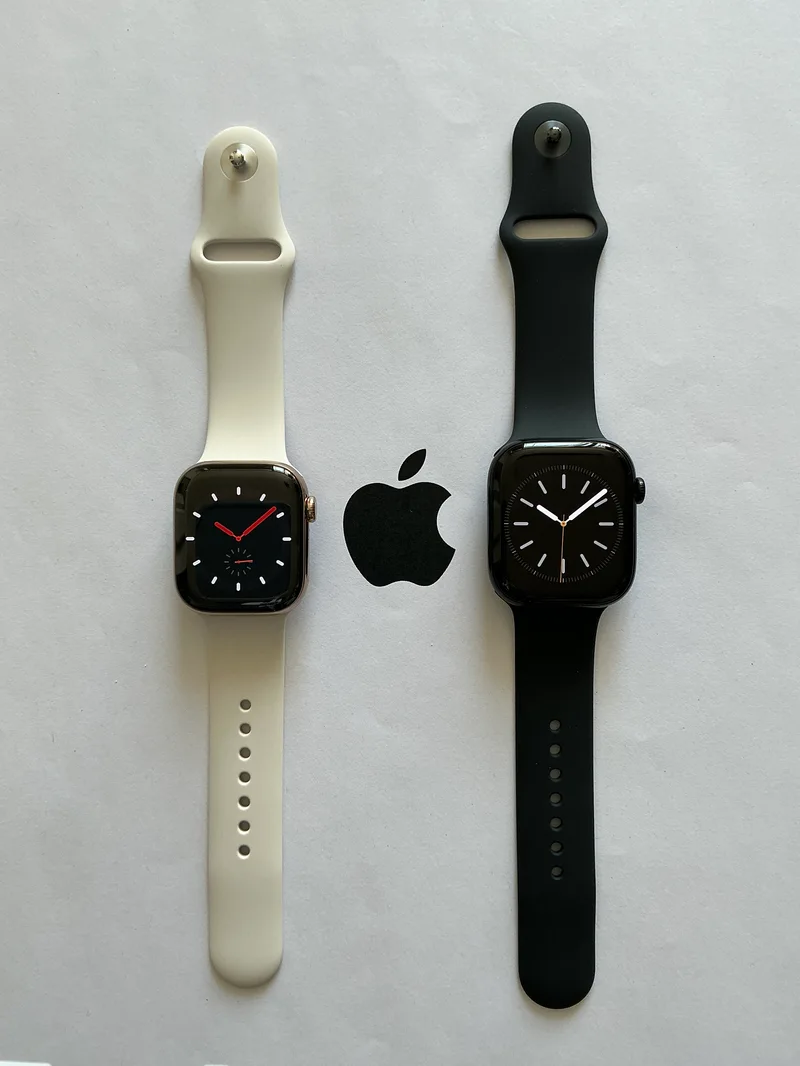
For an older buyer, the calculus flips almost entirely toward legibility, simplicity, and health features, with raw performance mattering the least of any persona covered on this site. Text size and contrast options, larger icon layouts, voice-command reliability, and hearing-aid compatibility all matter more than chipset benchmarks that a senior user will likely never come close to maxing out. Where this persona's device choices get genuinely interesting is the smartwatch category, because passive health monitoring has become a real reason — not just a marketing angle — for an older buyer to wear a smartwatch daily. As a senior-friendly smartwatch, the Apple Watch Series 10 is a strong option specifically because of its health sensor suite: ECG readings, FDA-approved sleep apnea detection, and fall detection that can automatically call emergency services if the wearer doesn't respond after a hard fall — features that go well beyond fitness tracking and into genuine safety infrastructure for someone living alone or managing a health condition.
Accessibility Features Both Groups Should Actually Compare
This is where the two personas' shopping lists quietly converge. Screen-reader quality, adjustable text sizing that doesn't break app layouts, and voice control reliability matter for a senior managing low vision, but they matter just as much for a student managing a learning difference, a temporary injury, or simply reading lecture notes on a bus with a cracked screen. Our full accessibility features comparison across iOS, Android, watchOS, and Wear OS is worth reading regardless of which persona you're shopping for, because platform-level accessibility quality tends to be consistent across the age range of who benefits from it.
The Budget Overlap
Both personas are also, realistically, budget-conscious buyers more often than not — a student working within tuition and living costs, a senior often on a fixed retirement income. Neither group is well served by chasing the newest flagship release the week it launches, and both benefit from the same underlying shopping discipline: buy one or two years behind the newest release for a steep price drop with minimal functional loss, prioritize battery health and screen condition over raw spec sheets when buying refurbished, and treat a smartwatch as an optional accessory rather than a mandatory purchase unless its specific health or notification features solve a real daily problem. Our broader value picks guide covers this shopping discipline in more depth across all three device categories.
Where the Advice Genuinely Diverges
The clearest split between the two personas is camera priority. A student, especially one active on social media or documenting group trips, benefits meaningfully from a strong camera system. A senior buyer, statistically, uses the camera far less and far less demandingly — video calls with grandchildren and the occasional photo rather than low-light concert shots — which means camera hardware is one of the safest places for a senior-focused buyer to save money versus a flagship. The reverse is true for battery replacement and repair access: a student who keeps a device for three or four years through a full undergraduate program cares more about long-term battery health and easy repairability than a senior buyer who may replace a device on a slower, more predictable cycle tied to a phone carrier's upgrade schedule.
A Practical Shopping Checklist
For a student: prioritize a durable case-compatible design, a tablet for note-taking and reading, battery life that survives a full class day, and a repair-friendly device given the multi-year ownership window typical of a college career. For a senior: prioritize display legibility and text-size flexibility, a smartwatch with real health-sensor credentials rather than just step counting, voice assistant reliability for hands-free use, and a simplified setup process that a family member can configure remotely if needed.
Frequently Asked Questions
Should a senior buyer skip smartwatches entirely? Not necessarily — the fall-detection and ECG features on modern watches are genuinely useful safety tools, not just fitness gimmicks, and are worth the cost for anyone living alone or managing a cardiac condition.
Is a tablet better than a laptop for a student on a budget? For note-taking, reading, and video calls, a budget tablet covers most day-to-day academic needs at a fraction of laptop cost, though heavier coursework like coding or video editing still favors a full computer.
Do accessibility features slow a device down? No — text size, contrast, and voice control features are software-level settings with negligible performance impact on any device released in the last several years.
The Bottom Line
There's no single "best phone" or "best tablet" that serves a student and a senior equally well, and trying to shop from the same generic buying guide does both a disservice. Students should weight durability, budget efficiency, and repairability; seniors should weight legibility, voice control, and genuine health-monitoring credentials. The overlap — accessibility software quality and general budget discipline — is worth reading regardless of which persona describes your actual shopping trip.