Accessibility Features Compared: iOS vs Android vs watchOS vs Wear OS
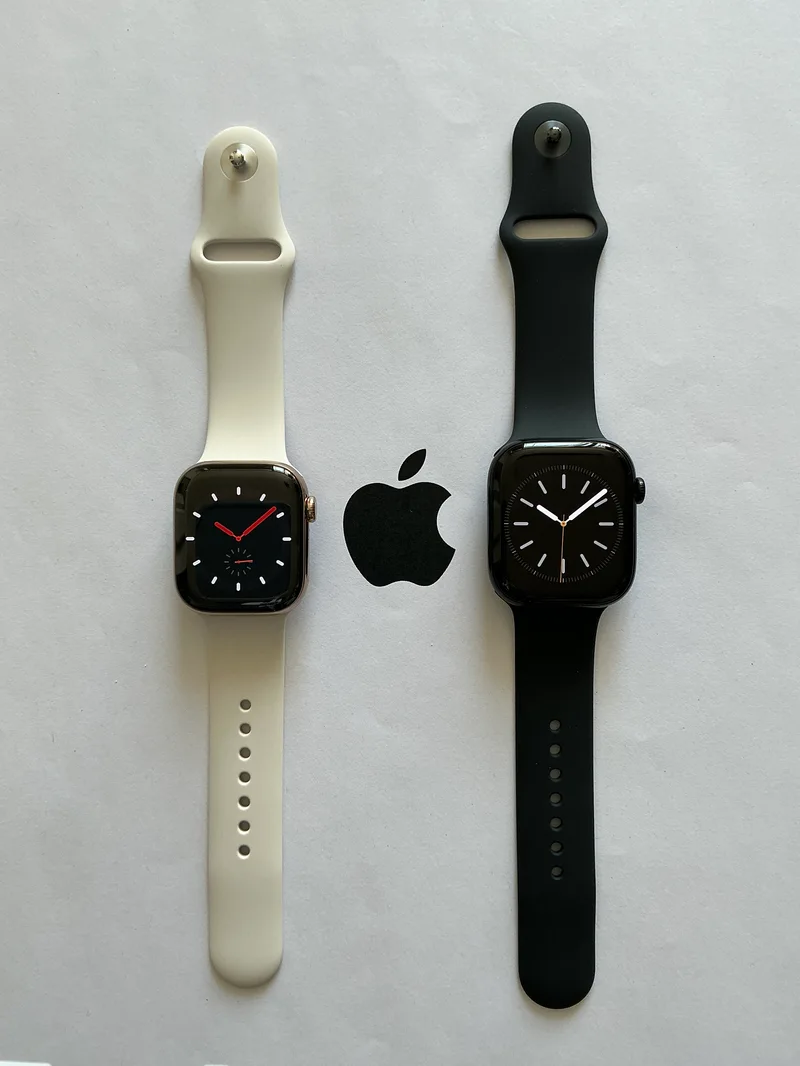
Accessibility features rarely make it into a headline spec comparison, but for millions of buyers they're the deciding factor in which phone, tablet, or watch actually works for them day to day. iOS, Android, watchOS, and Wear OS have each built out genuinely deep accessibility toolkits over the past several years, and comparing what's actually available on a device like the Apple Watch Series 10 versus the Galaxy Watch6 shows how differently the platforms approach the same underlying goal.
Vision Accessibility: Screen Readers and Magnification
Apple's VoiceOver, built into iOS, iPadOS, and watchOS, is widely regarded as one of the most mature screen readers on any consumer platform, with fine-grained gesture control, braille display support over Bluetooth, and consistent behavior across the entire Apple device lineup including the iPhone 15 and Apple Watch Series 10. Android's equivalent, TalkBack, has closed most of the historical gap and now offers similarly detailed gesture navigation and reading-order customization on phones like the Galaxy S24 and Pixel 8, though third-party app support for TalkBack still varies more than it does for VoiceOver, since not every Android app developer tests against it as rigorously. Both platforms include display accommodations well beyond simple text size — Smart Invert and Color Filters on iOS, and equivalent color-correction and high-contrast text tools on Android — that make devices usable for buyers with various forms of color blindness or low vision without needing a screen reader at all.
Hearing Accessibility: Live Captions and Hearing Aid Integration
Both major platforms now offer real-time, on-device live captioning that works across phone calls, video, and even ambient sound in the room, generated locally without needing an internet connection on recent flagship-tier hardware including the iPhone 15 and Galaxy S24. Hearing aid integration is where the platforms genuinely differ in maturity: Apple's Made for iPhone hearing aid program has years of head start, with direct Bluetooth streaming, fine-tuned volume and equalization controls, and even fall detection integration through the Apple Watch Series 10. Android's Made for Android equivalent has expanded significantly and now covers a wide range of hearing aid brands, and Samsung's Galaxy Watch6 supports hearing aid connectivity for compatible devices, but the ecosystem of certified hardware partners is still smaller than Apple's on a strict device-count basis, which matters if you already own a specific hearing aid brand and need guaranteed compatibility before switching phones.
Motor and Dexterity Accessibility
For buyers with limited fine motor control, switch control accessibility lets a device be operated entirely through one or two external switches rather than direct touch input, and both iOS and Android support this at the operating system level rather than requiring a special app. Voice control has become dramatically more capable on both platforms too — you can now navigate a full interface, dictate text, and trigger custom voice commands hands-free on an iPhone 15 or Pixel 8 without touching the screen at all. AssistiveTouch on iOS adds an on-screen customizable control panel that can replace physical button presses entirely, which is particularly useful on a phone for buyers who find the physical volume and power buttons difficult to press reliably. Samsung's One UI includes its own Assistant Menu with comparable floating on-screen controls on devices like the Galaxy S24.
Smartwatches as Dedicated Accessibility Tools
Beyond mirroring phone accessibility settings, smartwatches have become genuinely useful standalone accessibility devices in their own right. Fall detection, originally built for older or at-risk users, now ships as standard on the Apple Watch Series 10, the Galaxy Watch6, and the Pixel Watch 2, automatically placing an emergency call if the wearer doesn't respond after a detected hard fall. Haptic-based navigation, where the watch taps out directional cues on your wrist rather than requiring you to look at a screen, benefits users with low vision navigating unfamiliar places, and all three watches support this through their respective mapping apps. Wrist-based health monitoring also indirectly serves accessibility needs beyond fitness tracking, since irregular heart rhythm notifications and fall detection can be lifesaving for users managing chronic conditions who might not otherwise notice a developing medical event.
Cognitive and Learning Accessibility
Both platforms have invested in features aimed at reducing cognitive load rather than just physical or sensory barriers. Apple's Assistive Access mode strips an iPhone or iPad down to a simplified, high-contrast interface with larger buttons and a reduced feature set, designed specifically for users with cognitive disabilities who find a standard iOS layout overwhelming. Google offers similar simplification through Android's accessibility menu and, on select devices, a dedicated simplified launcher. Guided Access on iOS and Screen Pinning on Android both let a caregiver lock a device to a single app, which is a small feature with outsized real-world value for classroom, therapy, and caregiving situations where an unlocked device with full navigation could be genuinely disorienting.
Speech, Alternative Input, and Personal Voice
Apple's Personal Voice feature lets a user with a progressive condition affecting speech, such as ALS, record a set of sample phrases in advance and generate a synthesized voice that sounds like their own, which can then be used with Live Speech to have the iPhone 15 or iPad speak on their behalf in their own voice. It's a genuinely novel use of on-device machine learning that didn't exist on any consumer platform a few years ago, and the entire voice model is generated and stored locally rather than uploaded anywhere. Android has its own Live Transcribe and Sound Notifications tools, which alert deaf or hard-of-hearing users to important ambient sounds like doorbells, sirens, or a crying baby by recognizing the sound pattern and surfacing a visual and haptic alert even when the phone is in a pocket. Both approaches solve genuinely different problems, and neither platform has a complete monopoly on innovation here — buyers with specific speech or hearing needs should weigh which particular tool matters most to their situation rather than assuming one platform is broadly ahead of the other on every axis.
Choosing a Device Around Accessibility Needs
If a specific accessibility need is central to your buying decision, the most reliable approach is to test the actual feature in-store rather than trusting a spec sheet, since the quality of implementation — not just the presence of a checkbox feature — is what determines whether a tool is genuinely usable day to day. Apple's ecosystem currently holds a modest edge in third-party hearing aid certification breadth and cross-device consistency, while Android's more open platform means faster adoption of accessibility features across a wider range of price points, including on tablets like the Galaxy Tab A9. For a wider comparison of how these two ecosystems differ beyond accessibility specifically, see our full ecosystem comparison guide.