Display Technology Deep Dive: OLED vs. AMOLED vs. LCD, and Why Refresh Rate Matters More Than You Think
Spec sheets throw around display terms — OLED, AMOLED, IPS LCD, TFT LCD, 60Hz, 120Hz, 144Hz — as if they're all just marketing checkboxes to compare, but the actual technology underneath determines contrast, battery drain, motion clarity, and even how a screen ages over years of use. This guide breaks down what these display technology terms actually mean using real screens currently sold across this site's phone, tablet, and smartwatch lineup, so the comparison is grounded in hardware you can actually go buy rather than abstract theory.
OLED and AMOLED: Same Family, Different Names
OLED (organic light-emitting diode) and AMOLED (active-matrix OLED) aren't competing technologies — AMOLED is simply the specific implementation most phone and tablet makers use, referring to the active-matrix driving layer behind the OLED pixels themselves. The defining trait of any OLED-family display is that each pixel emits its own light and can switch off completely, which produces genuinely black blacks (not "very dark gray" like backlit displays) and lets a display draw meaningfully less power when showing dark content. The iPhone 15's Super Retina XDR display and the Galaxy S24's Dynamic AMOLED 2X panel are both OLED-family screens, and side by side, the practical difference between them is less about the underlying tech and more about brightness tuning, color calibration, and the specific panel supplier each company sources from.
IPS LCD and TFT LCD: The Budget-Friendly Alternative
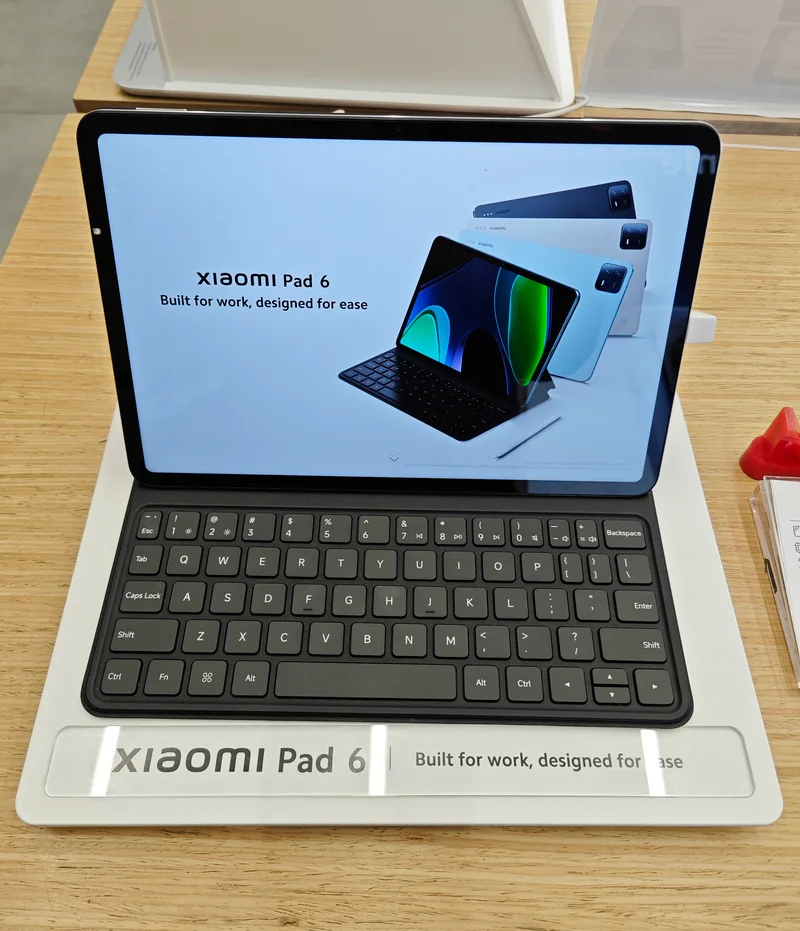
LCD technology works fundamentally differently: a backlight sits behind the entire panel, and liquid crystals twist to block or pass that light through color filters. Because the backlight is always on across the whole panel, LCD can't produce true blacks the way OLED can — dark scenes look more like dark gray. The tradeoff is cost and, in some cases, longevity: LCD panels are cheaper to manufacture at scale and don't carry OLED's long-term burn-in risk from static UI elements staying on screen for years. The Xiaomi Pad 6 uses an IPS LCD panel specifically because it lets Xiaomi hit an aggressive price point while still delivering a sharp, color-accurate screen — IPS being the higher-quality LCD variant, with better viewing angles and color consistency than the cheaper TFT LCD technology found on entry-level devices like the Galaxy Tab A9.
Refresh Rate: Why 60Hz, 120Hz, and 144Hz Actually Feel Different
Refresh rate measures how many times per second a display redraws the image, and it's one of the most underrated specs on any device because the difference is immediately obvious the moment you scroll, even if you can't articulate why. A 60Hz display redraws 60 times a second; a 120Hz display redraws twice as often, which cuts the perceived motion blur during scrolling roughly in half and makes fast-moving content — game animations, video, even just flicking through a long webpage — look noticeably smoother. The jump matters most in gaming, where the Xiaomi Pad 6's 144Hz panel gives it a genuine edge for fast-paced mobile titles over any 60Hz competitor, though the practical benefit tapers off past 120Hz for most non-competitive use. Our gaming performance comparison covers how refresh rate interacts with raw chipset power for actual frame-rate delivery, since a high-refresh panel is only useful if the hardware underneath can actually push enough frames to fill it.
Resolution and Pixel Density: The Spec Most People Overweight
Resolution gets more marketing attention than it deserves past a certain point, because pixel density (measured in PPI, pixels per inch) is what actually determines whether text and images look sharp, and PPI depends on both resolution and physical screen size together. A phone-sized display at 400+ PPI is already well past the point where most people can distinguish individual pixels at normal viewing distance, which is why chasing ever-higher resolution numbers on a phone delivers diminishing returns while draining more battery to push those extra pixels. Where resolution genuinely matters more is on larger tablet screens, where the same pixel count is stretched across more physical area — the Galaxy Tab S9's 2560x1600 resolution on an 11-inch panel keeps text and fine UI detail crisp in a way that would be harder to achieve if the same pixel count were stretched across a larger screen.
Brightness and Outdoor Visibility
Peak brightness, measured in nits, determines whether a screen stays readable in direct sunlight, and this is a spec that varies wildly even within the same display technology family depending on panel tuning. OLED panels generally handle peak brightness better than LCD because they can push individual pixels brighter without needing to boost an entire backlight, which is one reason flagship phones with OLED screens tend to out-perform LCD-equipped budget tablets for outdoor visibility, even when the raw specs look similar on paper.
Smartwatch Displays: A Different Set of Tradeoffs
Smartwatch screens face constraints phones and tablets don't: they're tiny, they need to sip battery to last a full day (or several), and they're viewed at close range in short bursts rather than continuously. AMOLED dominates this category for the same reason it dominates phones — the ability to turn off individual pixels for an always-on display mode without draining the battery the way a constantly-lit LCD backlight would. This is why nearly every modern smartwatch worth buying, across both watchOS and Wear OS, has standardized on some form of AMOLED rather than LCD, even at the cost of a higher component price relative to the watch's overall size.
How Display Choice Should Actually Factor Into a Buying Decision
For most buyers, the practical takeaway is simpler than the underlying technology: prioritize OLED or AMOLED if you regularly use a device in dark environments, watch a lot of video, or care about battery efficiency during dark-mode use, and don't discount a well-tuned IPS LCD panel on a budget device — the color accuracy and viewing angles on a good IPS panel can genuinely rival OLED for everyday reading and browsing, just without true blacks. Prioritize a higher refresh rate specifically if gaming or heavy scrolling is a daily activity, since that's where 90Hz-and-up panels deliver an immediately noticeable improvement; skip paying extra for it if your primary use case is reading, texting, and light browsing where the difference is far less perceptible.
Frequently Asked Questions
Does OLED burn in on modern phones? It's far less common than it used to be thanks to pixel-shifting software and improved panel materials, but static elements like a permanent status bar or navigation buttons left on screen for years at high brightness can still cause faint image retention over a device's full lifespan.
Is 120Hz worth the battery tradeoff? Most modern devices with 120Hz displays use adaptive refresh rate technology that drops to lower frequencies for static content automatically, so the real-world battery cost is much smaller than a naive "double the refresh, double the drain" assumption would suggest.
Why do budget tablets still use LCD? Primarily cost — OLED panels remain significantly more expensive to manufacture at large tablet sizes, which is why LCD stays the default for anything priced to compete with the Galaxy Tab A9 tier.
The Bottom Line
Display technology isn't a single spec to optimize — it's a bundle of tradeoffs between contrast, brightness, motion smoothness, and price that plays out differently depending on whether the screen is on a phone, tablet, or wrist. A high refresh rate display pays off most obviously in gaming and heavy scrolling, OLED and AMOLED pay off most obviously in dark-mode battery life and true blacks, and a well-built IPS LCD panel remains a perfectly legitimate choice on a budget device rather than a compromise to apologize for.