How Much Storage Do You Actually Need? A 2024 Phone, Tablet, and Smartwatch Guide

Storage tiers are one of the most expensive line items on any device order form, and manufacturers know most buyers upgrade "just in case" rather than based on actual need. Jumping from the base tier to the next one up can add $50-150 to a phone or tablet, so it is worth working out what you actually use before paying for capacity you will never touch. This guide walks through real-world storage needs across the phones, tablets, and smartwatches in our catalog, using actual file sizes rather than vague guesswork.
What actually eats storage on a phone
Photos and video dominate storage use for most people, and the gap between the two is larger than most buyers expect. A single 48MP photo from the iPhone 15 or Galaxy S24 runs roughly 3-8MB depending on scene complexity, so even a heavy photographer shooting a few hundred photos a month uses under 2GB. Video is the real storage killer: one minute of 4K footage at 60fps consumes roughly 400-600MB, meaning a single 10-minute birthday party video can eat 4-6GB on its own. Apps themselves rarely exceed a few hundred MB each, with the exception of large mobile games, several of which now exceed 4-8GB installed, particularly open-world titles with high-resolution texture packs.
Phones: 128GB, 256GB, or 512GB?
The iPhone 15 ships in 128GB, 256GB, and 512GB tiers, while the Galaxy S24 and Pixel 8 both top out at 256GB. For most buyers, 128GB is genuinely sufficient if you rely on cloud backup (iCloud, Google Photos, or Samsung Cloud) and periodically clear out old videos, since cloud services can store originals while keeping only compressed previews on-device. 256GB is the sweet spot if you shoot a lot of 4K video, keep a large offline music or podcast library for travel, or simply dislike managing storage and want years of headroom without thinking about it. 512GB, available only on the iPhone 15, is worth the premium mainly for people who shoot ProRAW photos regularly (each file can exceed 75MB) or who use their phone as a primary video camera for content creation, where dozens of unedited 4K clips can pile up between offload sessions.
Tablets: a different calculation
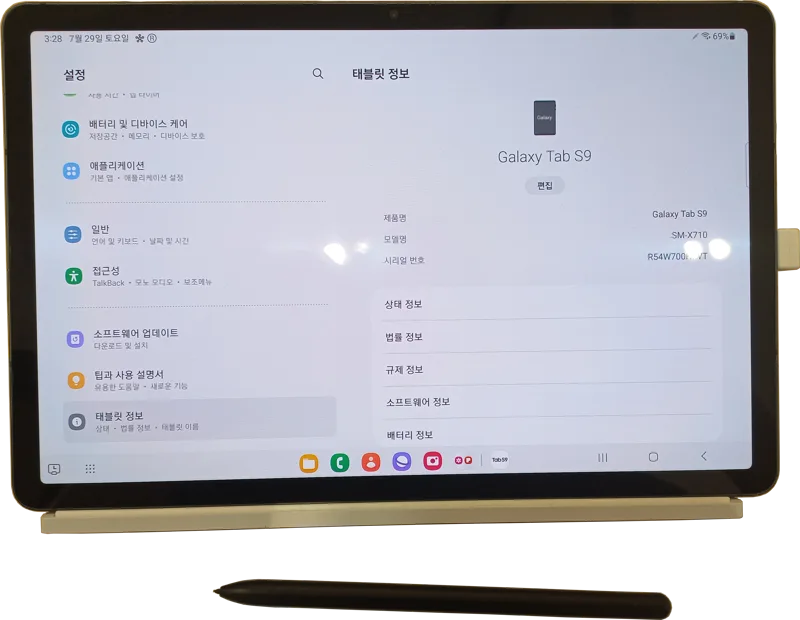
Tablet storage math looks different because tablets are more often used for consuming pre-downloaded content — offline Netflix episodes, downloaded games, PDF textbooks — than for generating new photos and video. The iPad starts at just 64GB, which is tight if you plan to download movies for flights or install several large creative apps, making the 256GB tier a smarter starting point for most buyers despite the price jump. The Galaxy Tab S9 starts at 128GB and supports a microSD card for expansion, a genuine advantage over the iPad if you know you will need more room later and would rather add a cheap card than pay Samsung's storage upgrade premium upfront. The Xiaomi Pad 6 and budget-focused Galaxy Tab A9 both ship with smaller base tiers that suit media consumption and light productivity but get cramped quickly if you install several console-style mobile games.
Smartwatches: storage barely matters, except for music
Smartwatch storage is a much smaller consideration since watches primarily sync data rather than generate it, but it is not irrelevant. The Galaxy Watch6's 16GB is entirely for offline music, podcasts, and the watch's own apps and watch faces; most users never come close to filling it unless they download extensive offline playlists for phone-free runs. Neither Apple nor Google publishes exact storage figures for the Apple Watch Series 10 or Pixel Watch 2 as prominently, but both follow the same pattern: enough for offline Spotify or Apple Music playlists plus the OS and installed apps, rarely a genuine constraint unless you are trying to leave your phone at home entirely during workouts.
Cloud storage: the real answer for most people
For the large majority of buyers, the honest answer to "how much storage do I need" is "less than you think, if you pay for cloud storage." A $3-10/month cloud storage subscription like iCloud+, Google One, or Samsung Cloud effectively turns a 128GB device into unlimited storage for photos and documents, keeping only recently viewed items cached locally. This approach does require reliable internet access to retrieve older files, which matters if you travel somewhere with poor connectivity or want instant access to your entire photo library without a loading spinner. Buyers who travel frequently to areas with unreliable data, or who simply prefer not depending on a subscription, are the strongest candidates for paying upfront for more local storage instead.
How long should storage last you?
A device's storage tier should be sized for the phone or tablet's entire ownership window, not just the first year, since deleting old files to make room becomes a recurring annoyance rather than a one-time task. Most buyers keep a phone for 3-4 years now thanks to longer update commitments from Apple, Samsung, and Google, and photo and video volumes tend to grow over that window as camera resolutions and video bitrates increase with each generation. A tier that feels comfortable on day one with no cushion at all will likely feel tight by year two, which is the main argument for buying one tier above your current usage rather than matching it exactly. Trade-in and resale value is a secondary factor worth considering too: higher-storage configurations of the same phone typically hold a modest resale premium over the base model, partially offsetting the higher purchase price if you plan to sell or trade in the device later.
Our practical recommendation by user type
Casual users who mostly browse, message, and stream: 128GB on a phone and 128GB on a tablet is plenty, paired with a basic cloud backup plan. Photographers and video creators: 256GB minimum on a phone, and consider 512GB if you shoot ProRAW or dozens of 4K clips between offloads. Frequent flyers who download movies and shows for flights: 256GB on a tablet is worth the jump from the base tier, since offline video files add up fast on long trips. Gamers with large mobile game libraries: 256GB on whichever device you play on most, since modern mobile titles increasingly rival console game sizes. In nearly every case, the smallest tier that fits comfortably today with 20-30% headroom for a year or two of normal use, backed by a cloud subscription, beats overpaying for maximum capacity you will rarely fill.